Talk Therapy OC · Theracare Psychology and Wellness, Inc.
Staff SMS opt-in: patient check-in alerts
This is an internal program. The only people who can receive these texts are our own employees and contracted clinicians. Patients and members of the public cannot sign up and are never texted. When a patient checks in at the waiting-room tablet, the clinician they are seeing gets one text — but only if that clinician has opted in themselves, as shown below.
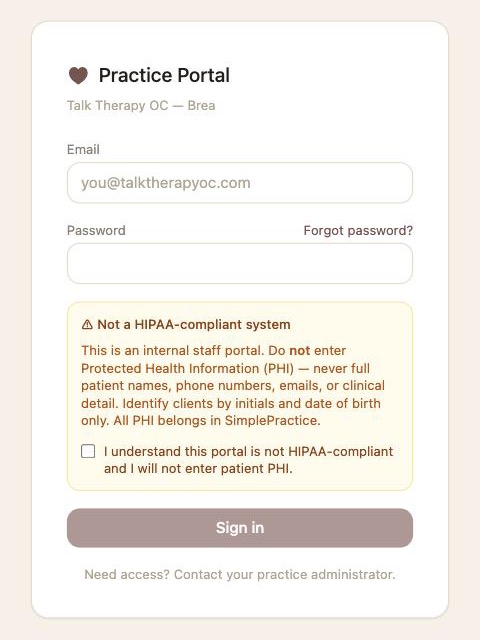
The opt-in happens inside our password-protected staff portal, so these screenshots show each step. Personal fields are blurred.
Step 1. The clinician signs in to the staff portal
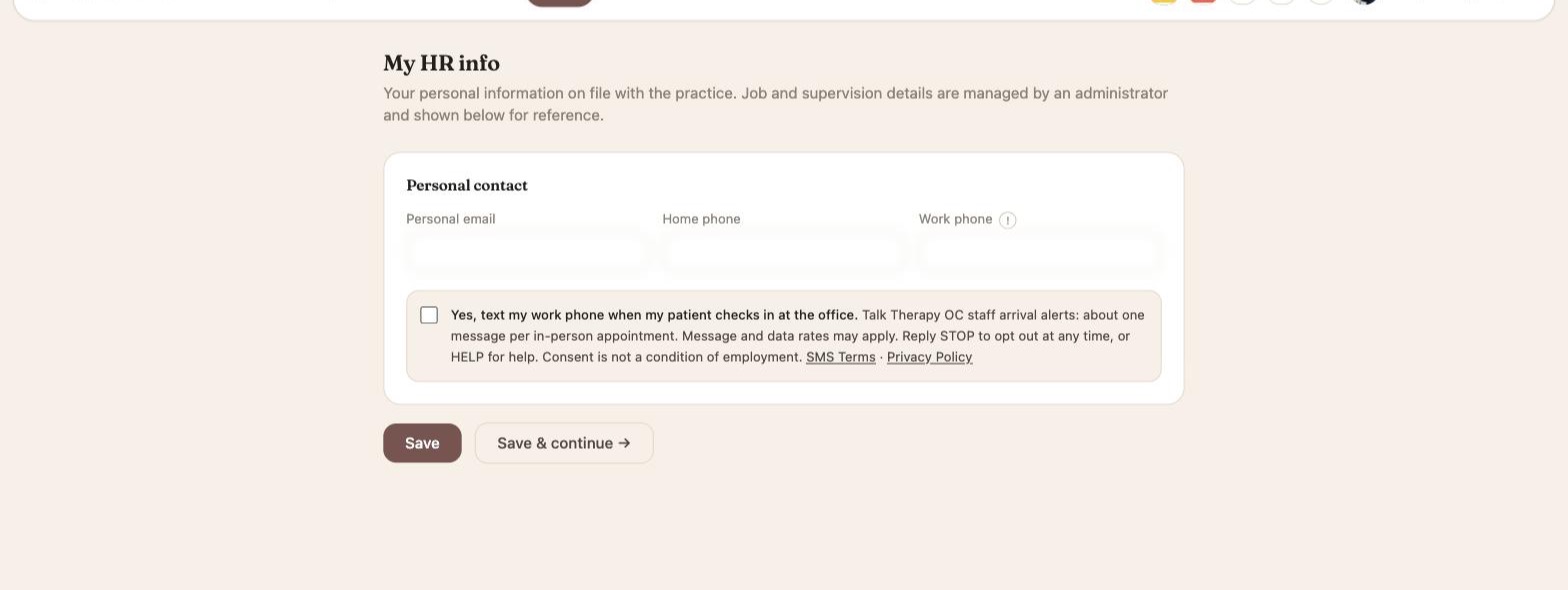
Step 2. They open My HR Info — the box is unchecked
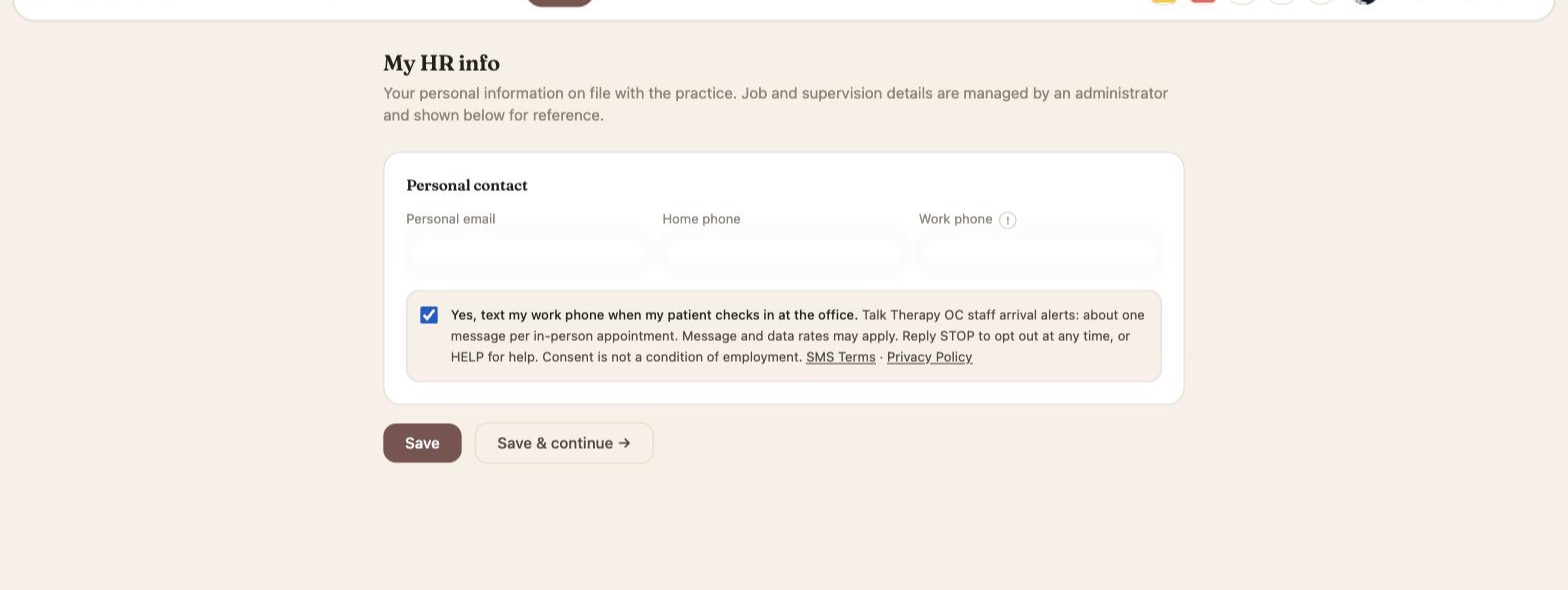
Step 3. They tick the box and click Save
Exact consent wording
Yes, text my work phone when my patient checks in at the office. Talk Therapy OC staff arrival alerts: about one message per in-person appointment. Message and data rates may apply. Reply STOP to opt out at any time, or HELP for help. Consent is not a condition of employment. SMS Terms: https://www.talktherapyoc.com/sms-terms Privacy Policy: https://www.talktherapyoc.com/privacy-policy
What the messages look like
Talk Therapy OC: JM is here - checked in at 2:14 PM (Brea). Reply STOP to opt out.
Only a patient’s initials, the arrival time, and the office. Message frequency: about one message per in-person appointment. Message and data rates may apply.
Opting out and help
Reply STOP to any message to opt out, or untick the box in My HR Info. Reply START to opt back in after replying STOP. Reply HELP for help, or call (909) 491-4289. Consent is not a condition of employment.